Accessible social media posts

The same post twice: as we often see it, and prepared accessibly. Listen to how a screen reader reads it.

Less accessible post

Valmara Museums

2 hours ago · Public

🎉🎉🎉😍😍🥳📚📚📚👏👏💪❤️❤️🌈🎶🎶 COME ALONG!!! We are so happy!!! 🥳 Today is a great day! ☀️ What's waiting for you?? 😍 #library #museum #valmara #opening #books #reading
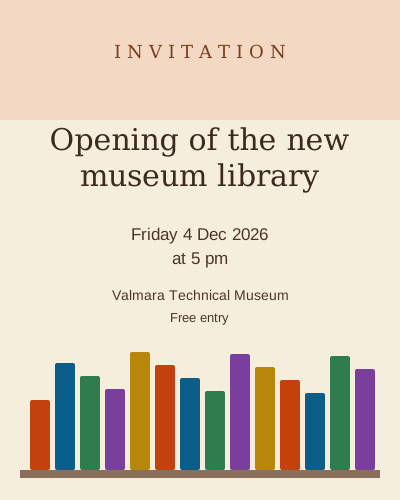
May be an image of text
  • The date, time and place are only in the image.
  • The image has no alt text (the platform adds an automatic one).
  • Lots of emojis in a row and all-lowercase hashtags.

Accessible post

Valmara Museums

2 hours ago · Public

Join us for the opening of the new museum library 📚 When: Friday, 4 December 2026 at 5 pm Where: Valmara Technical Museum, ground floor Free entry. The library is step-free, with a video magnifier and a computer with a screen reader. Register: valmara.example/events #MuseumLibrary #AccessibleValmara

Invitation to the museum library opening: bookshelves and the words Library opening, with the date, time and place as given in the post text.
  • All key details are also in the post text.
  • The image has alt text that explains its purpose.
  • A single meaningful emoji; hashtags in CamelCase.

Five tips for accessible posts

  1. Add alt text to images.
  2. Do not put important details only in an image.
  3. Keep text in images large and high-contrast.
  4. Use emojis sparingly and write hashtags in CamelCase.
  5. Add captions to videos and transcripts to audio.

Example of a captioned video

Back to top

Demo settings

Deliberate issues switched on: 1

Site language (for recording)

Presets

Individual issues

V1 Zoom and reflow
V2 Keyboard and focus
V3 Headings
V4 Social media and video
V6 Contrast
V7 Text alternatives
V9 Screen reader (names, links)
V10 Forms
Extra (WCAG 2.2 and general)
Shot list

Shortcut Alt + Shift + D. The setting applies to every language and page until you change it. The URL ?demo=v3 sets a preset directly.